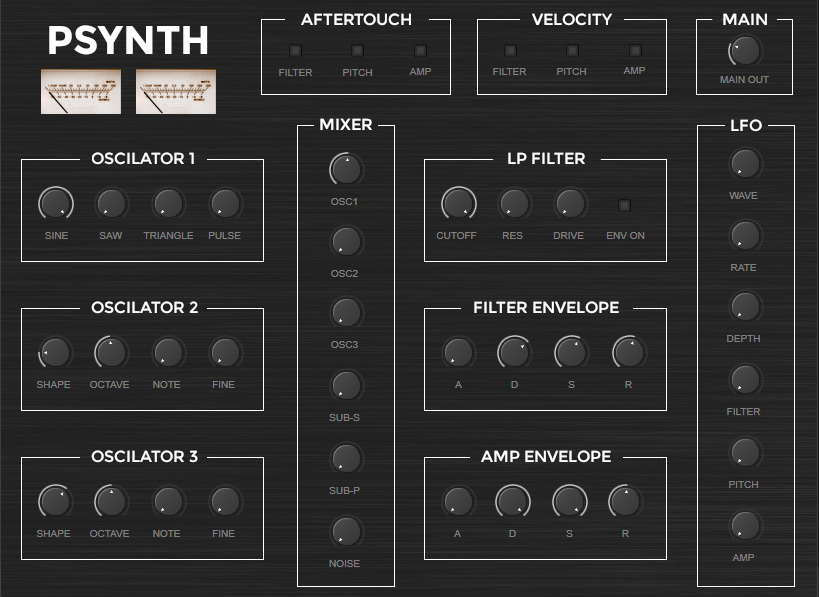
Where it startedPSynth instrument interface with three oscillators, mixer, low-pass filter and envelopesPSYNTH / 01
Free download

PSynth

From a bass line to a lead

Blend saw and pulse waves in the first oscillator, then add a low sine for weight. Use a slow LFO on the filter for a sweep, or on pitch for vibrato.

Version
1.41
Released
2 February 2025
Platforms
Windows · macOS

PSynth manual (PDF, EN) ↓Installation guide ↗Explore the sound Technical specificationsWatch & listen

Four ways to shape a note

Contents

OSC2

Hear two oscillators beat

Tune two saw waves almost in unison and hold a note. The slight pitch difference makes the sound swell and recede on its own.

Try these settings

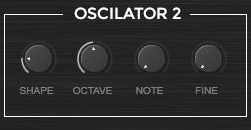
Raise SAW in OSC1. In OSC2, choose Saw, set OCTAVE and NOTE to 0 and bring up OSC2 in the mixer. Move FINE a little and listen to the beat speed.
Listen
Hear two oscillators beat

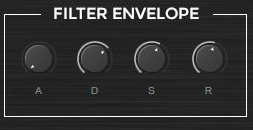
FILTER ENVELOPE · AMP ENVELOPE

Shape the attack and the tail

Let a bass note start bright and mellow while its volume holds steady. Separate envelopes shape brightness and loudness.

Try these settings

Enable ENV ON and give the filter a short decay and low sustain. For an audible filter tail after key release, lengthen R in AMP ENVELOPE as well.

Shape the attack and the tail

LFO

Put the filter and tremolo on one pulse

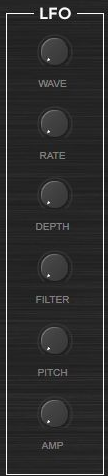
A single LFO can make the volume pulse while the filter moves at the same rate.

Try these settings

Choose a sine wave, raise DEPTH, then add AMP and FILTER to taste. Leave PITCH at zero for a steady note and set the speed with RATE.

Put the filter and tremolo on one pulse

VELOCITY · AFTERTOUCH

Play the attack, then press for colour

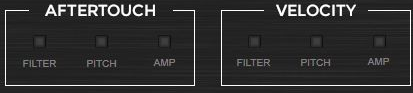
Use the strength of a keystroke for volume, then change brightness by pressing into the held key.

Try these settings

Enable AMP under VELOCITY and FILTER under AFTERTOUCH. The second gesture needs a keyboard or MIDI clip that sends pressure after the note begins.

Play the attack, then press for colour

Watch & listen

Playing connects to YouTube, which receives your IP address and browser details and may use cookies. Close the player at any time. Privacy policy ↗

PSynth — no talking demo

By Elektronick Musick

Starts at 9:59 · YouTube player loads with your permission.

Watch on YouTube ↗

Listen

First in unison, then slightly detuned.

Technical specifications

Contents

Oscillator setup

Sound engines
1 × PSynth3 × OSC
OSC1
SINESAWPULSETRIANGLEFour waveform levels can be mixed independently.
OSC2 / OSC3 · SHAPE
SineSawRampTrianglePulseWhite NoisePink NoiseEach oscillator selects one shape and has its own tuning.
OSC2 / OSC3 · OCTAVE
−2−10+1+2+3
OSC2 / OSC3 · NOTE
0–11 st
OSC2 / OSC3 · FINE
Continuous fine tuning per oscillator.
MIXER
OSC1OSC2OSC3SUB-SSUB-PNOISE
SUB-S / SUB-P
Sine and pulse, both two octaves below the note.
NOISE
White Noise

Filters

CUTOFF / RES
One shared resonant Moog-type low-pass filter.
DRIVE
Soft distortion after the filter. DRIVE adjusts shaping and limiting together.
FILTER ENVELOPE
A · D · S · RENV ON → CUTOFF
AMP ENVELOPE
A · D · S · RVCA

Modulation

LFO · WAVE
SineSawRampTrianglePulseWhite NoisePink Noise
LFO · RATE / DEPTH
PITCHAMPFILTERFree-running rate. DEPTH scales the three destination amounts together.
VELOCITY / AFTERTOUCH
FILTERPITCHAMPVelocity acts at note onset; aftertouch uses incoming pressure while a note is held. Each has three independent on/off routes.

Performance and host

Platforms
Windows x64VST3 (64-bit)
Version
1.41
MIDI IN
Note On / Note OffPitch BendHoldPedalVelocityAftertouch
MIDI Learn
LearnUnLearn
Voice control
The instrument manages polyphony internally.
MAIN OUT
One audio output. Both meters read the same final signal.
VST3 · DAW
The 49 public parameters cover 36 knobs, 7 switches and 6 further parameters without panel controls.
Presets
The host saves and recalls the instrument state. The supplied program is INT.

Manual PDF · EN

PSynth3

PSynth3 interface

PSynth3 is downloadable software: a VST3 synthesizer and standalone application for Windows 64-bit. No physical product is shipped.